
Business computer setup & replacement in Norfolk, NE
Replacing an office computer, adding desks or preparing several workstations? I help get the equipment, files, software and connected devices ready for the people who use them.
A replacement needs more than a new computer
The existing workstation may hold files, installed applications, saved settings and connections to printers or shared resources. I discuss what needs to carry over before setting up its replacement.
Tell me which computers are changing, who uses them and which tools are essential to their daily work. Applications may need installation, licensing or account access separately from a file transfer.
What the job may include
- Replace an aging or unreliable office computer
- Install several workstations or prepare a new desk
- Move files and set up required applications
- Connect monitors, printers, card readers and other peripherals
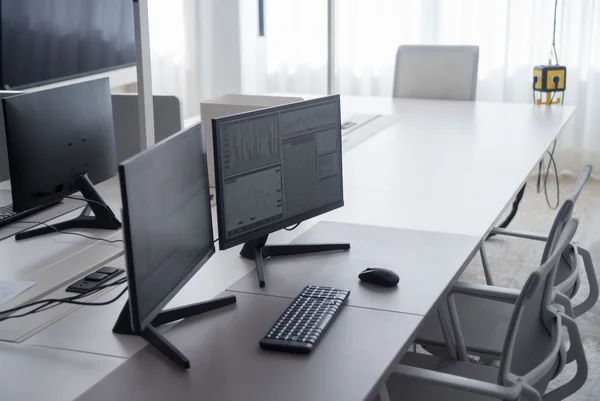
Workstation installation and configuration
My experience includes installing business computers and multiple workstations, setting up software, transferring files and installing monitors and other hardware for local organizations. You deal directly with me about the equipment and the proposed work.
A setup can include Windows installation or reinstallation, user-account configuration, updates and connecting the workstation to existing equipment. If an application or network is maintained by another provider, let me know so those requirements can be considered.
Plan the move around the work
Identify the files, programs, accounts and connected equipment each person needs. Tell me about existing backups, shared folders, any failing storage and the times when the workstation is needed.
I’ll discuss the scope, transfer approach, location and service arrangements. For an on-site installation, describe the number of desks and any network or peripheral setup involved. Please keep passwords and private business or customer files out of the public request.
Upgrade or replace the existing computer?
Replacing an entire computer is not always necessary. I also troubleshoot and replace components and consider compatible SSD or RAM upgrades when an existing workstation can still meet the job.
Compatibility, the condition of the device, application requirements and total cost all matter. I’ll discuss the options before work or parts purchases, rather than assume every slow computer needs replacement.
Explore computer upgradesCommon questions
Can you set up computers I already purchased?
Yes, I can discuss installation and configuration for existing or newly purchased equipment. Share the models, software requirements and devices that need connecting.
Can all software simply be copied to the replacement?
Some applications need a compatible version, fresh installation, license or account sign-in. The setup plan should include those requirements as well as the files.